01 · Capture
Bring it home
Import photos and videos from your iPhone or Android to a drive you own. Every file is checked byte for byte.
EverythingFindRememberOwn
PhotoCore is a private, local-AI photo app for your Mac. Import your iPhone and your drives, find anything just by describing it, and turn your archive into stories you can share. No cloud. No subscription.
PhotoCore closes the loop. Bring every photo home, find the ones that matter, relive them, and share them. All on your Mac.
Import photos and videos from your iPhone or Android to a drive you own. Every file is checked byte for byte.
Your library lives on your Mac, an SSD or a NAS, and stays searchable even when the drive is unplugged.
Search by meaning, by face, by place or by quality. Let Constellation group your gallery into moments on its own.
Turn any set of photos into a web Story or a printed photo book, in seconds, without uploading a thing.
Browse thousands of photos, diagrams and infographics through a fluid grid. Find with a sentence, rename with local AI in one click. Everything instant, everything on your Mac.
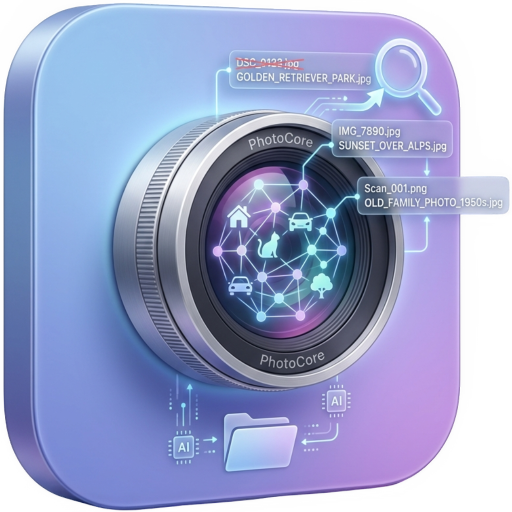
Local AI analyzes every image and generates a meaningful descriptive name. Properly named files are easier to find, organize and recall.
Describe what you’re looking for in natural language. PhotoCore finds photos, infographics and diagrams regardless of filename.
But I already have Apple Photos — isn't that enough? See the comparison →
Pick a trip, a person, or a search result. PhotoCore chooses the best shots, orders them, and lays them out like a printed magazine. In about ten seconds you get a finished page.
You get a single web page that opens in any browser, on any phone, with no link that expires and no tracking. Share it by AirDrop, message or email. Or export a print-ready PDF photo book for any print shop.
Your phone is full and iCloud keeps asking for more money. PhotoCore copies your photos and videos to a drive you own, and checks every file byte for byte.
A fast scan shows exactly what is new before it copies anything. Nothing is ever deleted from your phone. When it is done, disconnect the drive and still find everything, because search and previews work offline.
Import from any phone or drive. Find anything by describing it. Relive it with Constellation, Semantic Bridge and Stories. And own all of it, on your Mac, with no subscription.
Type “sunset at the beach” or “business model diagram” — PhotoCore finds photos, infographics and diagrams by meaning, not filename. Supports all SigLIP 2 tokenizer languages.
No photo ever leaves your Mac. Embeddings are computed locally via CoreML on the Apple Neural Engine. Your data is yours alone.
Local AI analyzes every image and generates a meaningful descriptive name: “sales-flow-diagram.png” instead of “IMG_7843.png”. Properly named files are easier to find, organize and recall.
<50ms encoding per image on M-series. Search across 10,000 photos in under 50ms via Accelerate.vDSP. SQLite cache ensures instant persistence.
Index an external drive, NAS or archive once — PhotoCore keeps finding every image even when the disk is unplugged. Search now, see exactly where each match lives, and reconnect only when you actually need the file.
Supports JPEG, PNG, HEIC, TIFF, WebP, GIF, BMP. Thumbnails generated natively via Quick Look. HEIC handled natively without conversions.
Name a person once, then search “@Anna at the beach” or filter by how many people are in the frame. Faces stay on your Mac and you can delete them anytime.
See your geotagged shots as native pins on Apple Maps, grouped by place. GPS is read on device from the metadata already in your photos.
Sort any view by an on-device quality score, hide screenshots with one toggle and keep the best frame of a burst.
Beyond search and rename, PhotoCore turns your photos into something to explore: a map of semantic groups and a narrative bridge between two images. All local, on your Mac.
Turn a search into a navigable visual map of semantic groups. Organize a photo shoot in one click and understand thousands of images in seconds.
Find the "story" that connects two photos: a sequence of real images from your archive that reveals hidden connections and narrative steps.
Select a folder, local AI indexes and renames files, then search everything with natural phrases. Three steps, zero cloud.
Open PhotoCore and choose a folder of images, photos, diagrams or infographics. The app scans recursively and counts files, estimating indexing time.
PhotoCore analyzes each image with SigLIP 2 on the Apple Neural Engine. Local AI generates descriptive names (e.g. “sales-flow-diagram.png” instead of “IMG_7843.png”) and saves 768-d vectors to local cache and XMP metadata.
Type what you’re looking for — “Q3 cover”, “architecture diagram”, “team photo”. PhotoCore finds content by semantic meaning, ranking by relevance. No file ever leaves your Mac.
No photo ever leaves your Mac. AI runs locally on the Apple Neural Engine. No account, no connection required.

Start free with up to 200 photos. Unlock unlimited with a one-time purchase. No subscription, ever.
Native macOS app for Apple Silicon M1-M5. Local AI SigLIP 2 via CoreML. ~30-50 MB. Zero cloud dependencies.
| Chip | Apple Silicon M1, M2, M3, M4, M5 |
|---|---|
| System | macOS 26 Tahoe or later |
| AI Encoder | SigLIP 2 via CoreML (Apple Neural Engine) |
| Search | Cosine similarity via Accelerate.vDSP |
| LLM | Local AI via CoreML + optional custom endpoint |
| Formats | JPG, PNG, HEIC, TIFF, WebP, GIF, BMP |