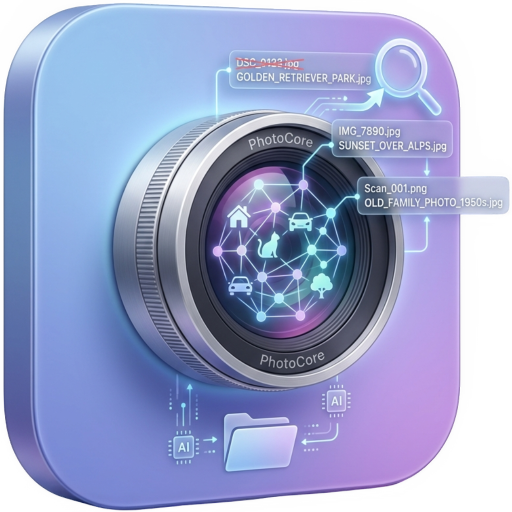
Find by meaning
Type what you remember, in plain words. SigLIP 2 runs through Core ML on the Apple Neural Engine and answers in under 50ms across 10,000 images, in more than 100 languages. Details on the AI photo search page.
If you want a photo organizer for your Mac without another subscription, here is the short answer. PhotoCore Full costs $59.99, one payment, with Family Sharing included. The free Light edition indexes up to 200 photos, so you can test it on your own archive first. It runs on Apple silicon Macs (M1 or later) with macOS 26.4 or later, and every model runs on your Mac. It finds photos by description, recognizes people, scores quality and shows your shots on a map. It does not edit RAW files and does not copy anything between devices. If you need editing, keep your editor and use PhotoCore to find the file.
Every product page you open claims AI, and the feature lists all look alike. Below is the checklist we use to judge any AI photo organizer, PhotoCore included, starting with search that answers in under 50ms across 10,000 images.
Folder trees and star ratings were the old answer. In 2026 the bar is higher: the software should understand what is in the picture, who is in it, and how good it is, without sending your archive to a server. Use these six points to test any candidate, PhotoCore included.
Type what you remember, in plain words. SigLIP 2 runs through Core ML on the Apple Neural Engine and answers in under 50ms across 10,000 images, in more than 100 languages. Details on the AI photo search page.
Name a person once from a few sample shots, then use @mentions in any search, like '@Anna at the beach'. People-count filters narrow any view to '0 people', 'exactly 2' or 'more than 5'. See face recognition.
On-device quality scoring sorts any view so sharp frames come first. One toggle hides screenshots and documents, and similar-photo search groups near-duplicates so you pick the winner yourself in seconds. See photo culling.
The Map view reads the GPS coordinates already in your photos' metadata and shows them as native pins on Apple Maps. A calendar filter narrows any view to exact days. See the photo map page.
Every model runs on your Mac: search, faces, quality, map. No cloud, no account, no trackers, and it all keeps working offline. Read the privacy section for the full picture.
PhotoCore indexes folders in place, read-only, with no import step. You pay once, and if you stop paying nothing happens, because there is nothing to stop paying. See pricing.
PhotoCore indexes folders in place and finds images, since 1.7 RAW files included, read through their embedded previews. It does not replace an editor: there are no develop sliders, no export presets, no retouching tools. If you process photos in Lightroom or another editor, keep it, and use PhotoCore to reach the right file faster. For feature-by-feature breakdowns, read the comparisons with Excire Foto, Peakto, Mylio Photos, Adobe Lightroom, Google Photos and Apple Photos / iCloud.
PhotoCore Light is free and indexes up to 200 images, enough to test search, faces, quality scoring and the map on your own archive. PhotoCore Full is a one-time purchase of $59.99. There is no subscription, so your archive never sits behind a monthly fee.
Download PhotoCore free and index up to 200 images to try search, faces, quality scoring and the map. PhotoCore Full is a one-time purchase of $59.99.